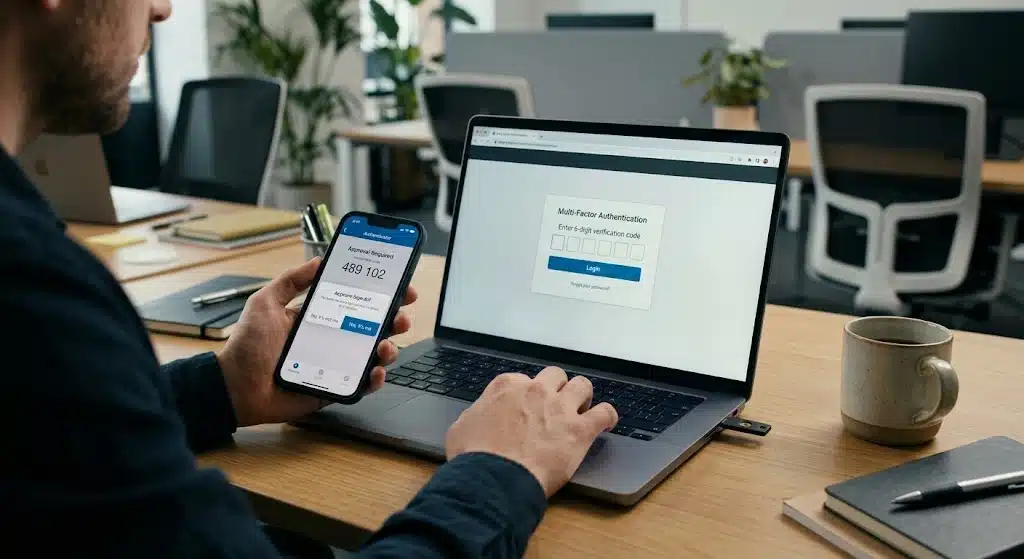

If your business still uses text messages to verify Microsoft 365 logins, a major change is coming that will affect how your team signs in.
Microsoft has announced the retirement of its built-in SMS and voice authentication services within Microsoft Entra ID, the identity platform behind Microsoft 365. For years, SMS-based Multi-Factor Authentication (MFA) has been one of the most widely used ways to add an extra layer of login security. But cyber threats have evolved, and Microsoft has decided it’s time to move organisations towards stronger, more modern alternatives.
For IT administrators and business owners, this isn’t just a minor product update. It’s a deadline that requires planning, and organisations that leave it too late risk disruption to their staff’s ability to log in securely.
Why Microsoft Is Retiring SMS Authentication
The short answer is security. SMS and voice-based authentication were a major step forward when they were first introduced, but attackers have since found ways around them.
The Problem With SMS Codes
SMS codes can be intercepted through several well-known attack methods:
- Phishing attacks, where attackers trick users into handing over their one-time codes
- SIM-swapping, where criminals convince a mobile provider to transfer a victim’s number to a new SIM card
- Social engineering, where attackers manipulate support staff or users directly to gain access to accounts
Because mobile networks were never designed with this level of security in mind, SMS has become one of the weaker links in the MFA chain. Microsoft’s own security research has repeatedly shown that accounts protected only by SMS-based MFA remain more vulnerable to takeover than those using stronger, cryptography-based methods.
Why Passkeys Are the Replacement
In contrast, passkeys and other modern authentication methods use cryptographic technology that is significantly harder to intercept or fake. Instead of a code that can be phished or redirected, a passkey relies on a private cryptographic key stored securely on the user’s device, one that never needs to be typed in or sent anywhere.
This is why Microsoft is making passkeys the default authentication experience across Microsoft 365 and Entra ID. It’s a direct response to a threat landscape where phishing and identity-based attacks remain the leading causes of successful breaches across UK businesses.
The Retirement Timeline: Key Dates to Know
Microsoft has set out a clear two-stage timeline for this change, and organisations that don’t prepare in advance may find themselves scrambling as the deadline approaches.
From 1st September 2026, users currently enabled for SMS or voice authentication will automatically be encouraged to register a passkey when they sign in. This is designed to ease the transition gradually, giving staff the chance to set up a more secure method before the older one disappears entirely.
From 1st February 2027, Microsoft will fully retire its native SMS and voice authentication services. After this date, organisations that still depend on SMS authentication will have two options: configure a third-party telecom provider through Microsoft’s Security Store, or migrate their users to a more secure, Microsoft-native authentication method such as passkeys or Microsoft Authenticator.
For businesses with a large number of staff still relying on SMS codes, this transition will take time, communication, and testing. Waiting until January 2027 to start is not a realistic plan.
What Your Business Should Be Doing Right Now
If you’re an IT administrator or a business decision-maker, now is the time to review exactly how your organisation authenticates into Microsoft 365. A few honest questions will tell you how exposed you are to disruption.
Questions Every IT Administrator Should Ask
- How many users in the organisation still rely on SMS authentication?
- Are passkeys already enabled across the tenant?
- Is Microsoft Authenticator being used as an alternative?
- Have staff been trained on how to set up and use modern authentication methods?
If the answer to any of these is “we’re not sure”, that uncertainty is itself a risk. Many businesses don’t have full visibility over which authentication methods their staff are actually using day to day, which makes a structured review essential before the February 2027 deadline.
Microsoft recommends moving users to passkeys or Microsoft Authenticator as soon as possible. Beyond the security benefits, both options also improve the overall sign-in experience, removing the delay and frustration of waiting for a text message that doesn’t always arrive on time.
A Wider Shift Towards Phishing-Resistant Security
The retirement of SMS authentication isn’t an isolated Microsoft decision. It’s part of a broader industry move towards phishing-resistant authentication and stronger protection for business identities. Governments, security vendors, and major technology providers have all been pushing the same message for the past few years: passwords and SMS codes alone are no longer enough to keep business accounts safe.
For UK SMEs in particular, identity and access control remain one of the most common ways attackers gain a foothold. Weak MFA, stale accounts, and outdated authentication methods are consistently among the top risks found during IT Health Checks across businesses in London, Essex, and the South East. This latest change from Microsoft is another reminder that the tools businesses relied on even a few years ago are no longer considered sufficient.
With the February 2027 deadline now on the horizon, organisations should begin planning their transition well in advance. This avoids last-minute disruption to staff logins and strengthens their overall cyber security posture in the process, rather than treating it as a compliance box to tick at the last moment.
Get Ready Before the Deadline
If you’re unsure whether your Microsoft 365 environment is affected, now is a good time to carry out a security review and confirm your authentication methods are ready for the future.
As a trusted provider of managed IT support Essex and London businesses rely on, Sprint Integration can help you prepare for Microsoft’s SMS authentication retirement with a Free IT Health Check and security review, giving you a clear picture of where your organisation stands before the changes take effect.
Contact Sprint Integration today to book your free review and make sure your business isn’t caught out when SMS authentication disappears for good.